How to order
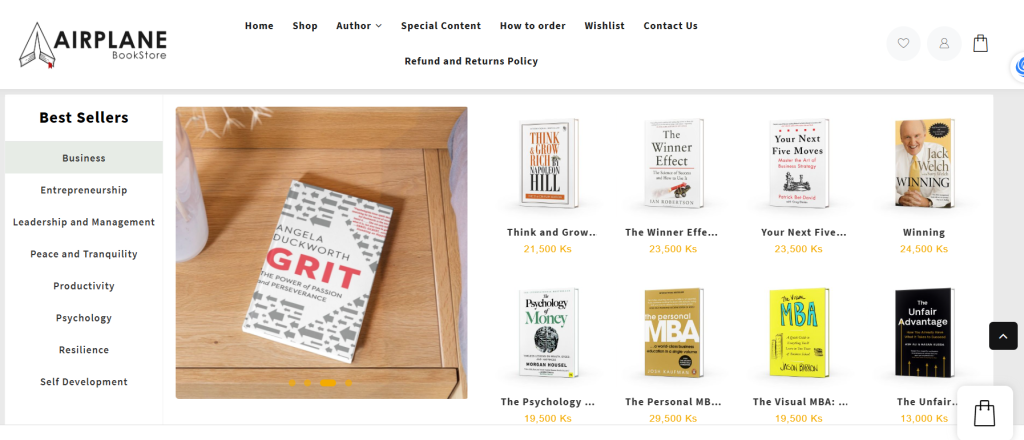
1. Browse Products ကြိုက်နှစ်သက်တဲ့စာအုပ်တွေကိုရွေးချယ်ပါ။
- Explore our categories and select your desired product. Category သို့မဟုတ် Shop ကနေပြီးကြိုက်နှစ်သက်တဲ့စာအုပ်ကိုရွေးပါ။
- Click on a product to view details like price, description, and images.စာအုပ်ကလေးကို နှိပ်ပြီး စာအုပ်လေးရဲ့ Summary ကိုဖတ်ရှုနိုင်ပါတယ်။
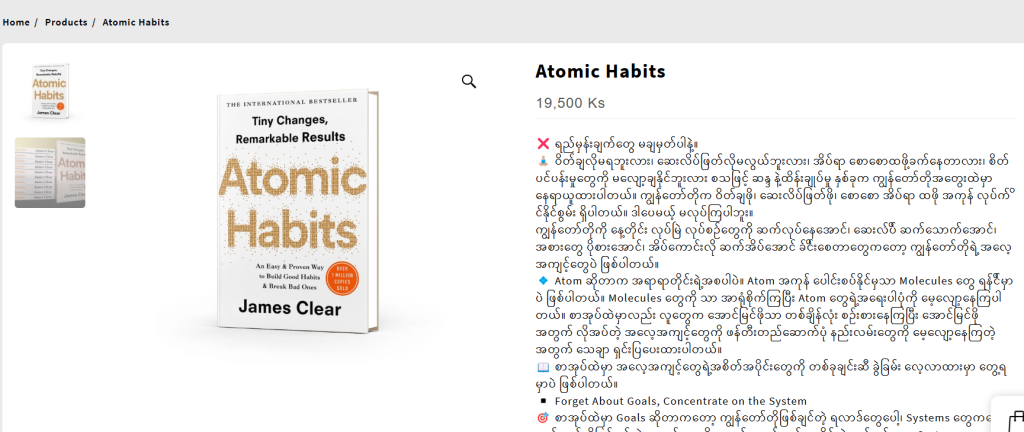
2. Add to Cart ကြိုက်တဲ့စာအုပ်ကလေးကိုဝယ်ယူရန်ထဲထည့်ပါ။
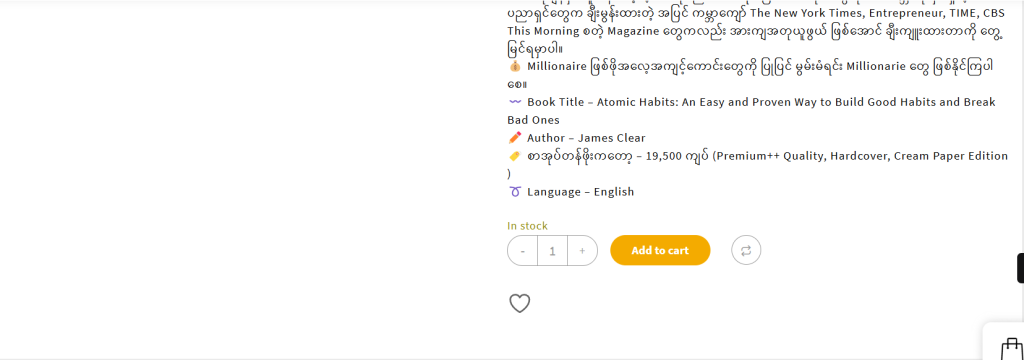
- Choose the quantity အရေအတွက်ကိုရွေးချယ်ပါ
- Click the “Add to Cart” button. “Add to Cart ” Button လေးကိုနှိပ်ပါ။
3. View Your Cart & Proceed to Checkout စာအုပ်စာရင်းကြည့်ပါ။
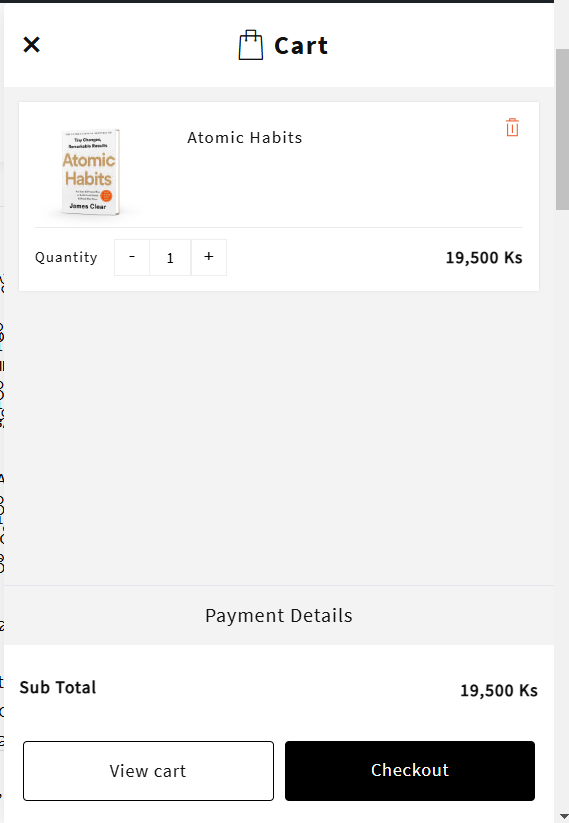
- Click the Cart icon and review your order. အိတ်ပုံလေးကိုနှိပ်ပြီး ရွေးထားတဲ့စာအုပ်ကလေးတွေကိုကြည့်ပါ။
- Click “Proceed to Checkout” when ready. လိုချင်တဲ့စာအုပ်ကလေးတွေအကုန်ရပြီဆိုရင် check out လုပ်လို့ရပါပြီ။
4. Enter Your Details ပို့ပေးရမဲ့အချက်အလက်တွေဖြည့်ပါ။
- Fill in your billing and shipping details. ငွေချေရန်နှင့် ပို့ပေးရမယ့်နေရာကိုရေးပေးပါ
- Email Requirement: If you do not have an email account, please enter our default email:
📩 airplanebookstore@gmail.com Email ရှိလျှင် Email ရေးပါ။ Email မရှိပါက airplanebookstore@gmail.com ကိုထည့်ရေးလို့ရပါတယ်။ - This email will be used to send your order confirmation and updates. ဒီ Email က သင့် စာအုပ် Order အတွက် Update တွေကိုပို့ပေးမှာဖြစ်ပါတယ်။
5. Choose Payment & Place Order ငွေပေးချေနည်းကိုရွေးချယ်ပြီး Order တင်ပါ။
- Select your preferred payment method. ငွေချေလိုတဲ့နည်းလမ်းကိုရွေးချယ်ပါ။ (ရန်ကုန်နဲ့ မန္တလေးအတွက်သာ COD ရနိုင်ပြီးပြင်ပနယ်တွေအတွက် Kpay Advance နဲ့သာလက်ခံမှာဖြစ်ပါတယ်။)
- Click “Place Order” to confirm. Place Order ကိုနှိပ်လိုက်ရင် ဘောက်ချာနံပါတ်နဲ့အတူ ကျသင့်ငွေပေါ်လာပါလိမ့်မယ် ( ဒါကို Screenshot ရိုက်ပြီးသိမ်းပေးထားဖို့လိုအပ်ပါတယ်။
6. Order Confirmation အော်ဒါလက်ခံရရှိကြောင်း အတည်ပြုခြင်း
- You will receive a confirmation message on the website. ဘောက်ချာနံပါတ်ကလေးရပြီးရင် Airplane မှဆက်သွယ်လာမှာဖြစ်ပါတယ်။
- If you used the default email, please contact our support for order updates. တကယ်လို့ airplanebookstore@gmail.com ကိုအသုံးပြုခဲ့ပြီး Order update ကိုသိချင်ရင် info@airplanebookstore.com ကိုဆက်သွယ်လို့ရပါတယ်။
Items In Sale
-
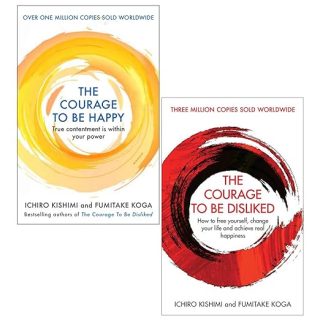 The Courage 2 books Bundle
Original price was: 39,000 Ks.37,050 KsCurrent price is: 37,050 Ks.
The Courage 2 books Bundle
Original price was: 39,000 Ks.37,050 KsCurrent price is: 37,050 Ks.
-
 Stoicism Bundle
Original price was: 68,500 Ks.65,075 KsCurrent price is: 65,075 Ks.
Stoicism Bundle
Original price was: 68,500 Ks.65,075 KsCurrent price is: 65,075 Ks.
-
 Productivity Combo
Original price was: 60,500 Ks.57,475 KsCurrent price is: 57,475 Ks.
Productivity Combo
Original price was: 60,500 Ks.57,475 KsCurrent price is: 57,475 Ks.
-
 Japanese Wisdom Collection
Original price was: 58,500 Ks.55,575 KsCurrent price is: 55,575 Ks.
Japanese Wisdom Collection
Original price was: 58,500 Ks.55,575 KsCurrent price is: 55,575 Ks.
-
 Cal Newport Collection
Original price was: 60,500 Ks.57,475 KsCurrent price is: 57,475 Ks.
Cal Newport Collection
Original price was: 60,500 Ks.57,475 KsCurrent price is: 57,475 Ks.